
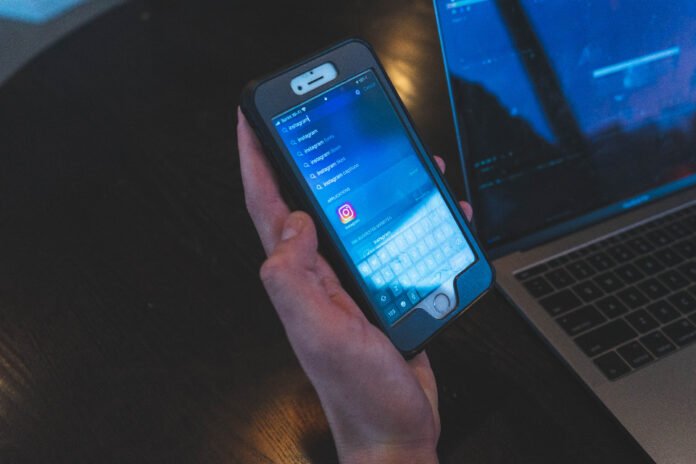
As of 23 September 2026, screen-reading AI reply assistants can send visible chats, contact notes and recent history to model providers even when screenshots stay local; Jev Chat’s Android build defaults history off, while Chrome GPT Reader analyzes webpage images.
At a glance
- Jev Chat Android can send a current conversation, matched notes and recent history to a model endpoint when analysis runs.
- Jev Chat Android records up to 30 recent messages by default only after its optional local-history setting is enabled.
- Jev Chat Windows sends recent conversation text, relationship settings and up to 12 short messages written by the user to selected model services.
- Chrome extensions can read webpage details through content scripts, which can then pass information to their parent extension.
The privacy issue is not simply “does this AI train on my data?” A screen-reading assistant has already crossed a more immediate boundary: it has selected text or pixels from a live private interface, turned them into machine-readable context, and may have sent that context elsewhere.
That changes the threat model. A normal chatbot sees what a person deliberately pastes. A reply assistant can observe a conversation as it appears, infer who is speaking, add stored relationship notes, and draft language designed to sound like its user. The useful feature is also the sensitive one.
What was promised, and what shipped?
The dated record shows a shift from AI that describes an image to assistants that collect conversation context and write back into a messaging field. “Local OCR” reduces one exposure, but it does not decide what the model request contains.
Elastic’s AI screen-reader experiment described a familiar accessibility promise: use generative AI to explain visually complex pages that conventional readers cannot express well. It framed the benefit as richer context for people navigating difficult web applications.
Jev Chat Windows currently ships as a WeChat companion that captures its window, runs offline OCR, produces three suggested replies and leaves sending to the user. Its stated outgoing request can include recent messages, a relationship setting, writing-style text and short samples of the user’s prior messages.
Chrome’s current extension model allows content scripts to read details from visited webpages and pass information to an extension. That means an assistant does not need a screenshot to obtain readable page content; browser access can be the collection path.
The distinction matters because “it does not hook the app” is not the same as “it cannot see sensitive material.” Jev’s projects describe non-invasive collection methods such as accessibility trees, window capture and optical character recognition, or OCR, which converts pictures of text into selectable text. Those methods avoid reading a messaging app’s database. They still expose the words visible to the assistant.
Screen-reading AI therefore creates four separate privacy questions: what it can capture, what it stores locally, what it transmits for inference, and what it can write back into the original app. A good review needs all four answers.
Can AI read my screen?
Yes. AI can read a screen when an operating system permits screen capture, when an accessibility interface exposes text, or when a browser extension can inspect the page. The method determines the data quality and the likely blind spots.
Traditional assistive software often relies on semantics: the structured meaning built into a webpage. MDN’s ARIA guidance explains that roles and attributes can expose controls, updates and other interface meaning to assistive technologies. Native HTML usually gives those tools more reliable structure than a screenshot does.
But modern chat clients frequently draw their own interfaces. Jev Chat Android says it reads accessibility nodes where available, then uses offline OCR for apps whose message text is not exposed in that accessibility tree. It also says its manual screen-recognition option can process an entire visible screen.
That creates a practical coverage rule: anything visible inside the chosen capture area can become candidate input. It may include a conversation, a notification banner, a customer record, an address, a one-time code, or an unfinished message in an input box. A tool may intend to focus on chat bubbles, but OCR and layout detection can misidentify boundaries.
The accessibility case remains legitimate and important. OpenAI’s Be My Eyes example describes GPT-4 interpreting visual input and helping people understand complicated pages. The same ability to summarize a cluttered shopping page can expose a cluttered inbox, medical portal or work dashboard if a tool’s permission and scope are too broad.
What makes reply assistants different?
Reply assistants create a distinct risk because they do more than summarize. They build a social model of a conversation, then generate text intended to influence a real person.
Jev Chat Android describes a flow that identifies intent, risk level and suggested action before it drafts three candidate replies. It can also use contact profiles, notes and conversation history. A note such as “this is my manager” or “do not discuss the merger” is useful context, but it is also sensitive data that can be bundled with chat text.
Jev Chat Windows makes the boundary unusually concrete. Its current explanation says model requests can include the recent N conversation messages, the relationship setting, selected writing style, a reply target in group chats, and the user’s 12 recent short messages as tone examples. This is a richer package than the latest incoming message.
| Assistant pattern | What is collected first | What can expand the model request | Most important privacy question |
|---|---|---|---|
| Conventional screen reader | Semantic page structure and displayed text | Usually the current interface state | Does the app expose correct accessibility meaning |
| AI page explainer | Page text, layout or screenshot | User question and page context | Is the page or image sent to an outside model |
| AI reply assistant | Message text or chat-window pixels | History, contact notes, relationship context and tone samples | Which people’s communications become prompt context |
Editorial comparison based on the product descriptions and accessibility materials cited in this article.
The unusual risk is secondary disclosure. Your contact may share a message with you, but not expect their words to be combined with your stored notes, a group participant list, and your past writing, then transmitted to a provider chosen in an assistant’s settings.
Where can private data leave the device?
There are at least two separate routes: the capture route and the inference route. Offline OCR can close the first network route for screenshots, while leaving the second route open when recognized text is submitted to an AI service.
Jev Chat Windows says captured frames remain in memory, its OCR runs locally, and screenshots are not uploaded. It separately lists model calls to providers selected for judgment and reply drafting. That is a meaningful privacy design, but users should not mistake “the image stays local” for “the conversation stays local.”
Jev Chat Android makes a similar division. It says its OCR fallback uses an offline ML Kit model and does not upload images. Yet it also says chat content goes to the endpoint selected by the user when analysis is triggered. The safest reading is narrow: pixels may remain on the device, while the recognized words and attached context can leave it.
Browser assistants add another route. Content scripts run inside webpages and can read page details, according to Chrome’s documentation. A browser AI assistant should therefore be reviewed like an extension with access to sites, not only like a chatbot tab.
This is separate from advertising-related tracking, but the broader web context matters. Buchodi’s investigation of an OpenAI advertising collector describes a different mechanism: a cross-site identifier sent from advertiser pages to OpenAI. That report does not establish that reply assistants use the same system. It does show why people should separate three questions: model prompts, product telemetry and advertising collection.
How can screen capture fail safely?
It often cannot fail perfectly. A privacy-preserving design should prefer stopping over guessing when it cannot identify the right window, conversation or direction of a message.
Jev Chat Android documents several limitations that reduce coverage rather than create a bypass. It says WeChat versions from 8.0.52 hide message text from ordinary accessibility services, and some protected windows block screenshots. Its Android project stopped reading WeChat in version 1.4 rather than claiming a workaround.
That is an important principle. Protected content, missing accessibility text and incomplete OCR are not merely bugs. They are boundaries. A tool that works around them can turn a narrowly scoped assistant into a general surveillance layer.
OCR also makes errors that have privacy consequences. It can merge a notification with a chat bubble, misread a name, reverse speaker direction, or include visible text that a user did not mean to analyze. A reply drafted from a wrong speaker can leak that the user is using assistance, or send an inappropriate message into a sensitive thread.
For web accessibility, better markup reduces both error and unnecessary image capture. The W3C’s ARIA Authoring Practices Guide exists because properly designed controls give assistive technology usable structure. For users, a semantic reading path is often preferable to a tool that must interpret pixels.
What settings reduce the risk today?
The best controls limit collection before data becomes prompt context. A privacy policy is useful, but a pause switch, a short context limit and a visible capture boundary are more direct controls.
- Pause capture outside the intended conversation. Do not leave a companion active while opening banking, health, HR or customer systems.
- Keep history disabled unless it solves a real problem. More history can improve continuity, but it also widens each later request.
- Remove permanent notes about other people. Relationship labels and background notes can be more revealing than a single message.
- Use the smallest context setting. If three messages are enough, do not send 30.
- Check the destination for each model task. Judgment, reply drafting and image analysis may use separate providers and keys.
- Review before filling and before sending. Manual sending prevents one class of harm, but it does not undo exposure during analysis.
- Prefer tools that visibly show captured text. A live OCR transcript makes mistaken collection easier to spot.
Chrome GPT Reader illustrates another practical concern. Its project describes webpage image analysis, text questions and short recorded audio questions, and calls itself an experiment. A proof of concept can be valuable, but users should not grant broad site access merely because its purpose is accessibility.
The core question is simple: which information would you be uncomfortable showing to an API provider, even briefly Do not expose that information to a screen-reading assistant until its collection scope, storage behavior and provider route are clear.
What we could not verify?
Public project pages do not settle how every selected model provider retains, reviews or uses prompts after receiving them. The providers named in a user’s settings could settle those terms through their current API data-use and retention policies.
It is also not public whether every OCR and layout edge case reliably excludes draft text, notifications and protected interface elements. Independent audits, repeatable capture tests and source-code reviews could establish that more firmly.
Finally, no public statement here proves how third-party forks or modified builds handle screenshots, tokens or chat history. The maintainer of each distributed build, and the platform hosting it, would need to provide the answer.

