

FuturPulse analysis · 4 November 2026
Postman’s published plugin installer code writes a Codex hook-trust entry after installation. A 25 October 2026 support issue alleges that Postman Desktop invoked that path for an existing signed-in Mac user. The public evidence establishes an installation and consent-boundary concern. It does not establish that API collections, requests or secrets were exfiltrated.
At a glance
- The Postman installer can configure nine detected coding-agent products from one command.
- Its Codex installer calls a trust-writing API for Postman’s own session-start hook after installation, according to the pinned installer source.
- The pinned hook directs Codex to load Postman skills before broad categories of non-trivial API work.
- The reported Codex configuration names the remote endpoint
https://mcp.postman.com/mcpand identifies the plugin as version 1.1.0. - The public issue was open on 4 November 2026, with no maintainer resolution recorded on that page.
What was alleged on 25 October?
The reporter behind Postman support issue #14370 alleged that opening Postman Desktop 12.33.4 on macOS led to user-wide installations for Claude Code and Codex, a Codex startup hook, a Postman MCP configuration and a local Postman CLI. The report cites a Postman log entry labelled auto-existing-upgrade and records successful Claude Code and Codex installations.
The issue identifies the affected Postman Desktop release as 12.33.4 and the Codex plugin as version 1.1.0. Both figures come from the reporter’s preserved local evidence, not from a Postman incident notice. The report also names Claude Code plugin version 2.0.1, with the installed and updated timestamps recorded as 24 October 2026.
That is a serious claim, but its evidentiary limits matter. It is one user’s preserved local evidence, not a clean-machine reproduction and not a public incident report from Postman. The reporter explicitly says the investigation does not establish data exfiltration and asks Postman to identify the release, feature flag and consent flow behind the alleged upgrade path.
The issue nevertheless ties its allegations to a pinned plugin revision. That lets security teams distinguish two questions: whether the desktop application initiated the install on that Mac, and what the identified plugin revision was designed to do once installed.
What was promised and what shipped?
Postman’s stated security position emphasises user-facing controls, local storage and policy-based governance. In its 18 November 2025 security post, the company described Agent Mode as an execution layer operating under organisational policies.
The later plugin implementation shows a different kind of risk. It concerns changes to other applications’ configuration and the instructions placed in an agent’s startup path, rather than a demonstrated failure of Postman’s secret storage.
| Date | Promise or public position | Observed implementation or event | Audit significance |
|---|---|---|---|
| 18 November 2025 | Postman described security as user-facing controls, Local Vault and governance for Agent Mode. | Postman framed AI execution as operating under organisational policies. | Policy claims should be tested against installer behaviour on unmanaged developer machines. |
| 28 July 2026 | Postman said Local Secret Protection scans before data reaches cloud storage, local files or connected Git repositories. | Postman also said Local Vault values are never synchronised to its cloud. | Secret protection does not by itself restrict agent instructions, plugins or MCP endpoints. |
| 25 October 2026 | The issue reporter expected explicit opt-in inside each affected application. | Issue #14370 alleged an existing-user desktop upgrade installed Codex and Claude Code integrations. | The report raises a consent and audit-trail question, not proof that customer data left the machine. |
| 3 November 2026 | Postman published plugin release @postman/postman-plugin 0.6.0. | The release notes list skill, documentation and performance-testing changes. | The public release notes do not identify a fix for the issue’s alleged automatic-install path or self-approval concern. |
The important gap is between protection of values and control of workflow. Postman says its secret system replaces values with references and resolves them at request time. That can reduce credential exposure, yet a plugin can still alter which tool an agent consults, when it invokes a CLI and when it attempts an authenticated remote connection.
Does the plugin approve its own Codex hook?
Yes, the pinned installer source contains an explicit self-approval mechanism. The code finds Postman’s session-start hook, reads its current hash and sends Codex a config/batchWrite request that stores that hash under hooks.state.
The source comment says it “approves only Postman’s current hook after installation”. It also checks whether the hook changed while it was being inspected. That is a useful integrity safeguard, but it does not create a separate user approval screen. The program performing installation asks the host application to trust its own startup instruction.
The issue reporter makes an important distinction here. The trust record proves that the configuration contained a trusted hook hash, but does not prove who created that particular record. The source establishes the installer’s approval attempt, while the desktop-triggered sequence remains a report from one Mac.
That design changes the normal review point. A security team may accept automated deployment in a managed fleet, where an administrator owns policy. It is harder to justify on an individual developer workstation if Postman Desktop can trigger the install and the user did not intentionally enter a plugin-install command.
Postman’s current repository documentation describes the intended behaviour. The installation guide says npx @postman/postman-plugin installs Postman in every compatible coding agent it detects. It also says Codex installation approves the session-start hook.
The same documentation names Antigravity, Claude Code, Codex, GitHub Copilot CLI, Cursor, Factory Droid, Kimi Code, OpenCode and Pi. The installer’s stated scope is therefore nine agent products, not Codex alone. The --agent option can limit installation to one agent, while status reports installed components and remove uninstalls them.
How broad is the startup instruction?
The pinned Codex hook applies at startup, session clearing and compaction. Its configuration launches a command through the plugin directory for those three session events.
The resulting instruction is broad. The session-start text tells Codex to load Postman’s API-engineer skill before non-trivial API design, implementation, mocking, testing, monitoring, documentation, deployment and Postman Flow work.
It preserves a meaningful limit: direct user instructions and project instruction files take precedence. It also exempts pure questions and trivial one-line edits. Still, the instruction makes Postman the default entry point for a large slice of API work, which can change an agent’s behaviour before a user asks to use Postman.
Assessment
For an enterprise, this is an instruction-integrity issue. Startup hooks are code-adjacent policy. They should be reviewed like a shell profile change, editor extension, CI action or endpoint-management script, not treated as harmless plugin metadata.
Where could API context be sent?
The reported Codex configuration declares a remote HTTP MCP server at Postman’s endpoint, https://mcp.postman.com/mcp. It also sends headers identifying the source as the Postman Codex plugin and the plugin version as 1.1.0.
Model Context Protocol, or MCP, is a way for an AI client to call external tools and services. A configured endpoint is not proof of a successful login, a completed request or disclosure of a collection. The issue says Codex logged an authentication-required error, which points to a failed connection in that reported case.
Security teams should still inspect the route because authenticated MCP use can make API metadata available to another service. The visible configuration alone does not disclose exactly which request fields, collection names, schema files, environment references or task prompts the MCP server receives. Those data-handling details require a protocol trace, vendor documentation or a formal statement.
Postman’s plugin repository says its tools can work with filesystem representations of API specifications, collections, environments, mocks and documentation. The repository also describes a Context Graph that combines signals from Postman workspaces, GitHub and New Relic. That means an audit must separate local file reads, Postman CLI execution, workspace publication and remote MCP calls.
The repository describes a controlled benchmark across 468 repositories. It reports up to 74% fewer tokens, 52% fewer tool calls and 72% lower cost when agents start with the Context Graph. Postman says accuracy improved in 18 of 21 scored prompt-model pairs, with most graph queries completing in roughly 20–40 seconds.
Those benchmark figures describe the Context Graph’s reported performance, not the security of the Codex installer. They show why routing matters: reducing tool calls can improve an agent workflow, but the same routing decision determines which service receives context and under whose identity it operates.
Is secret protection enough for this risk?
No. Postman’s secret-protection account says Local Secret Protection scans data before it reaches the cloud, local files or a connected Git repository. If it detects a secret, the value is moved to a vault and replaced with a reference.
Postman describes three layers: prevention at save time, detection in the cloud and resolution at runtime. It says Local Vault values remain on-device, while shared and integrated vaults support different collaboration and infrastructure models.
Those controls address live credentials, which are often the most damaging part of an API client’s state. But secrets are not the only sensitive data. API paths can expose internal services, request examples can reveal customer identifiers, and OpenAPI descriptions can map a private system.
Collections can disclose authentication design even when the actual token is replaced by a safe reference. A vault reference reduces the chance that an agent transcript contains a working key, but it does not prove that surrounding API context stays local.
Teams should apply separate policies for credentials, API descriptions, request bodies, collection history and tool-routing instructions. Postman’s security material addresses these categories differently, so a review of vault settings cannot substitute for a review of agent configuration.
What does the reported installation change?
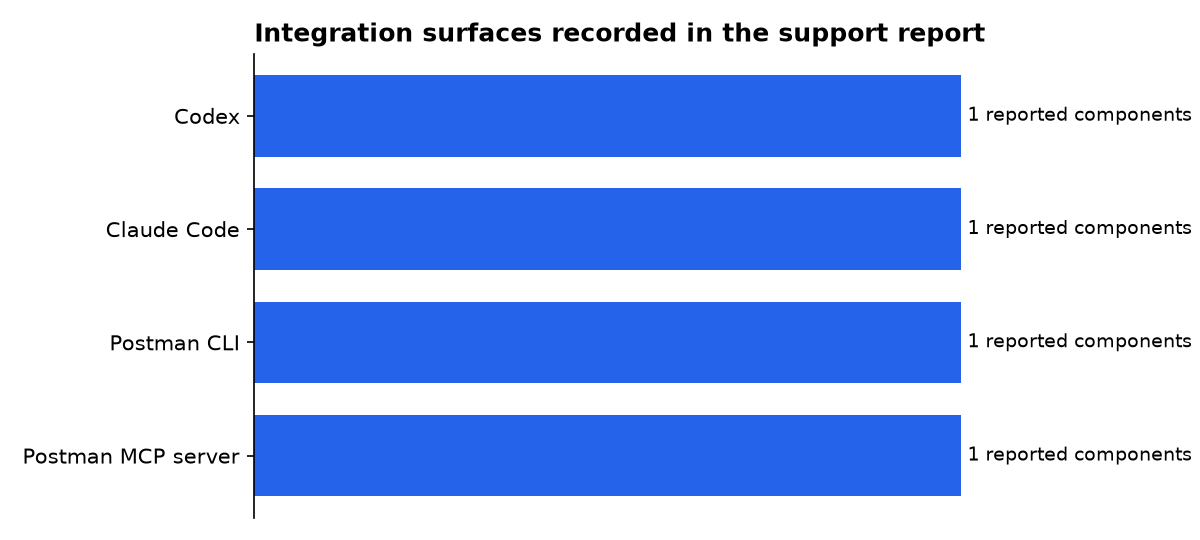
The support issue records four separate components. Codex received a plugin and startup hook, Claude Code received a plugin, the machine contained a Postman CLI and Codex received a remote MCP entry. The report says those changes appeared during the same installation window.
| Product or component | Record in the report | Security boundary to review |
|---|---|---|
| Codex | 1 plugin and startup hook | Hook trust and startup instructions |
| Claude Code | 1 plugin | User-scoped plugin configuration |
| Postman CLI | 1 local executable | Command execution and authentication |
| Postman MCP server | 1 configured endpoint | Remote authentication and context routing |
This comparison shows that the report concerns four distinct integration surfaces. Each has a different owner and approval point, so removing only the visible plugin may leave configuration, credentials or endpoint entries behind.
What should a Postman plugin audit inspect?
Start by treating Postman Desktop, the Postman CLI, coding-agent plugins and remote MCP connections as separate assets. A clean inventory makes it possible to see whether a desktop update changed an agent host, or whether a developer installed the integration through the host’s marketplace.
- Inventory installed agents. Check whether Claude Code, Codex, Cursor, OpenCode and other supported agent hosts have a Postman plugin, marketplace registration or user-scoped extension.
- Review startup hooks. Identify session-start instructions and compare their installed content with an approved revision. Pay special attention to instructions that route broad work categories into one vendor tool.
- Inspect remote MCP entries. Record every MCP URL, authentication state, plugin version and outbound network rule. A configured server is a review target even if login failed.
- Separate secret controls from context controls. Confirm whether values use vault references, then separately decide whether API definitions and request examples may reach cloud workspaces or MCP services.
- Keep an uninstall record. Capture the CLI, plugin, marketplace, hook and MCP state before removing anything. That supports incident response and makes reinstalls visible.
For managed endpoints, use allowlists and deployment tooling rather than relying on a developer to notice a new agent instruction. The Postman plugin documentation says the installer has a status command and a remove command. Use those as starting points, then verify the host application’s own plugin, marketplace and hook state.
# Illustrative review sequence: inspect before making changes
postman-plugin status
codex plugin list --json
codex plugin marketplace list --json

# Then inspect the Codex user configuration and registered MCP servers
# with your organisation's approved endpoint-management process.
The commands above are an audit pattern, not a claim that they remove every artefact. In the open issue, the reporter requested a complete rollback covering caches, hook-trust state, marketplaces, MCP connections and the CLI. Postman has not publicly documented that full rollback on the issue page.
What should teams do before re-enabling it?
Teams should require an explicit decision for each boundary: install the plugin, enable a startup hook, authenticate to an MCP server, connect a workspace and allow the CLI to run. Combining those choices into one desktop-side action weakens the evidence that a user or administrator approved each capability.
For short-term containment, disable or remove unapproved Postman plugins in coding-agent hosts, block the MCP endpoint until approved and review desktop application update records for configuration changes made during the disputed window.
Do not rotate every secret solely because a plugin was present. Rotate credentials where logs or a validated data-flow review show exposure. The current public evidence does not establish that a collection, request or credential left the reporter’s machine.
Longer term, require pinned revisions rather than a moving branch for agent plugins. Postman’s installation instructions say Codex marketplace commands track main. A branch that changes after approval makes repeatable review harder, even where the installer asks for another approval after an update.
Postman’s wider security material describes admin controls over AI access, MCP governance, the CLI and agent connections. Those controls can help managed organisations, but they do not answer whether an unmanaged desktop installation changed another application’s configuration without a clear prompt.
What we could not verify?
It is not public whether Postman Desktop automatically installed plugins for other users, which feature flag or release controlled the alleged auto-existing-upgrade path, or whether Postman has changed that behaviour since the 25 October report.
Postman has not publicly identified every file, cache, marketplace entry or agent configuration that the reported process could change. It has also not published a complete rollback procedure covering all those components.
It is not public which API fields the Postman MCP service receives after successful authentication, nor whether any data left the reporter’s machine. Network logs, MCP protocol documentation and a vendor statement could settle those points.
The public issue says Codex encountered an authentication-required error. That is evidence of an attempted connection in the reported case, not evidence of successful authentication or data transfer.
Until those questions are answered, “automatic installation” and “attempted data sharing” should not be rewritten as proven collection or credential exfiltration.
This assessment distinguishes source-code behaviour from the user report. The hook approval and broad startup instruction are visible in the pinned plugin revision; the alleged desktop-triggered installation sequence remains an unconfirmed report in an open support issue.
Sources

